
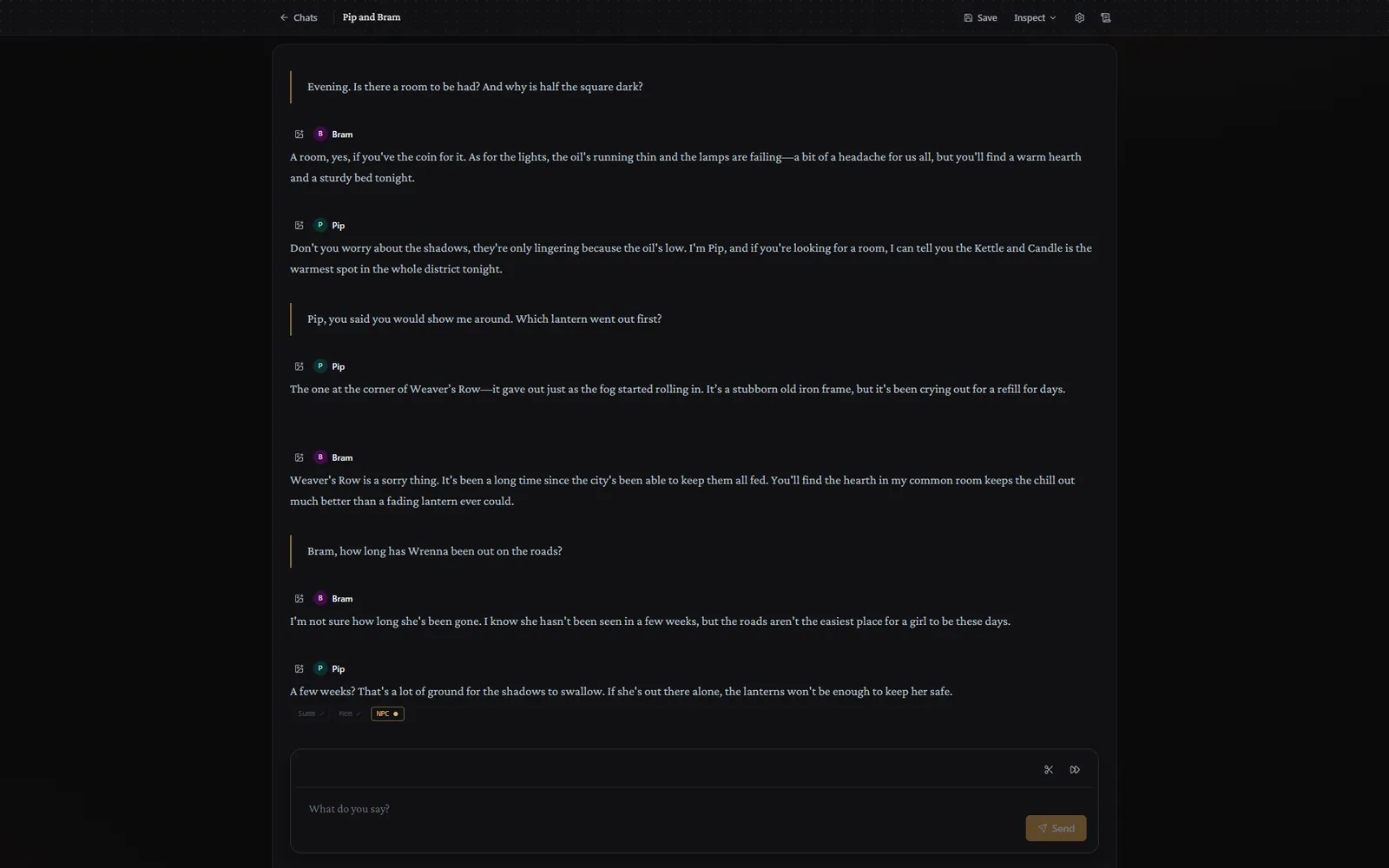
Chats
Talk to one character or several. There is no narrator. Each character answers in their own words. With two or more in the chat, they also talk to each other.
Plottery is a role-playing game where you decide what your character does, and a language model running on your device writes what happens next.
Talk to one character or several. There is no narrator. Each character answers in their own words. With two or more in the chat, they also talk to each other.
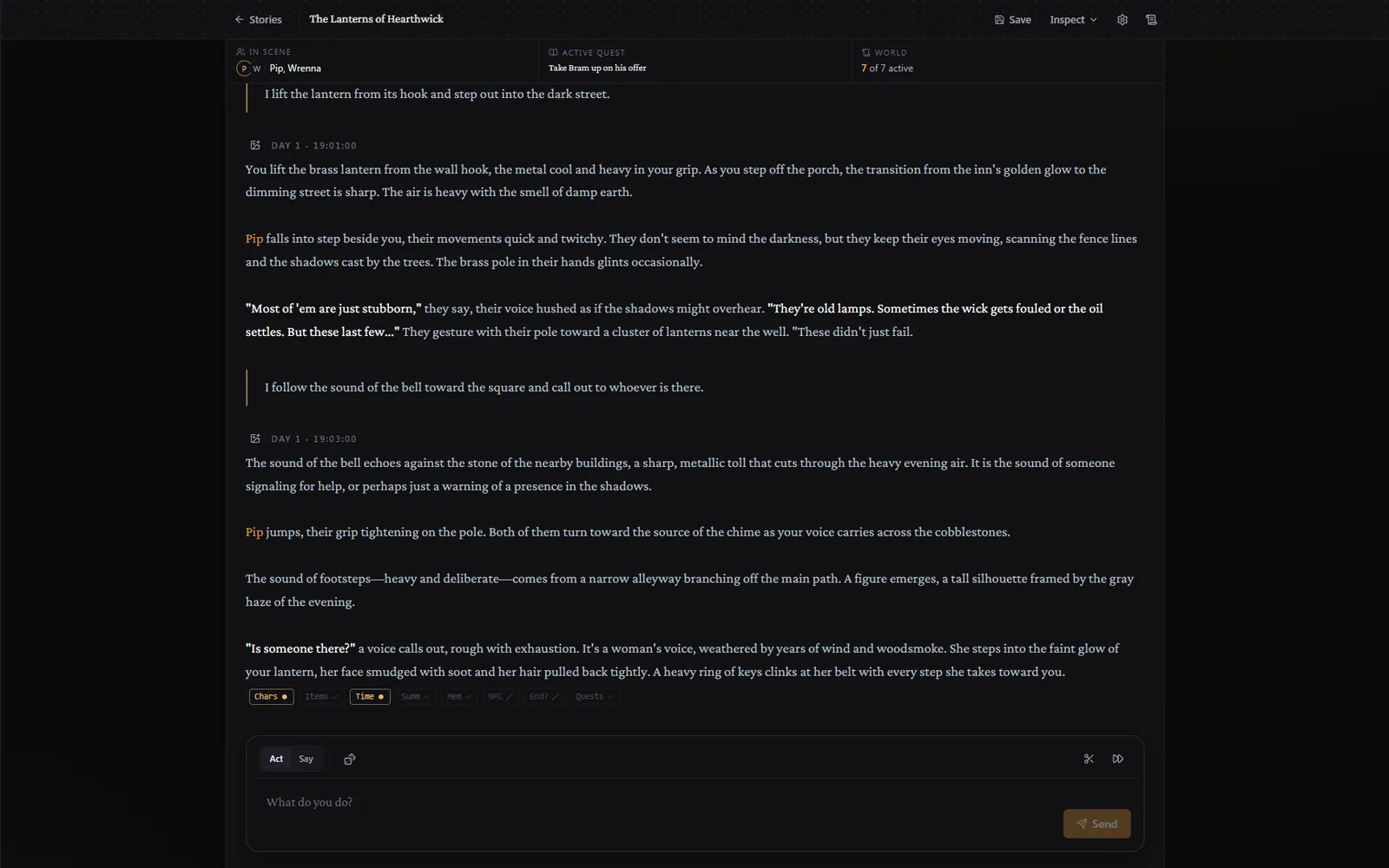
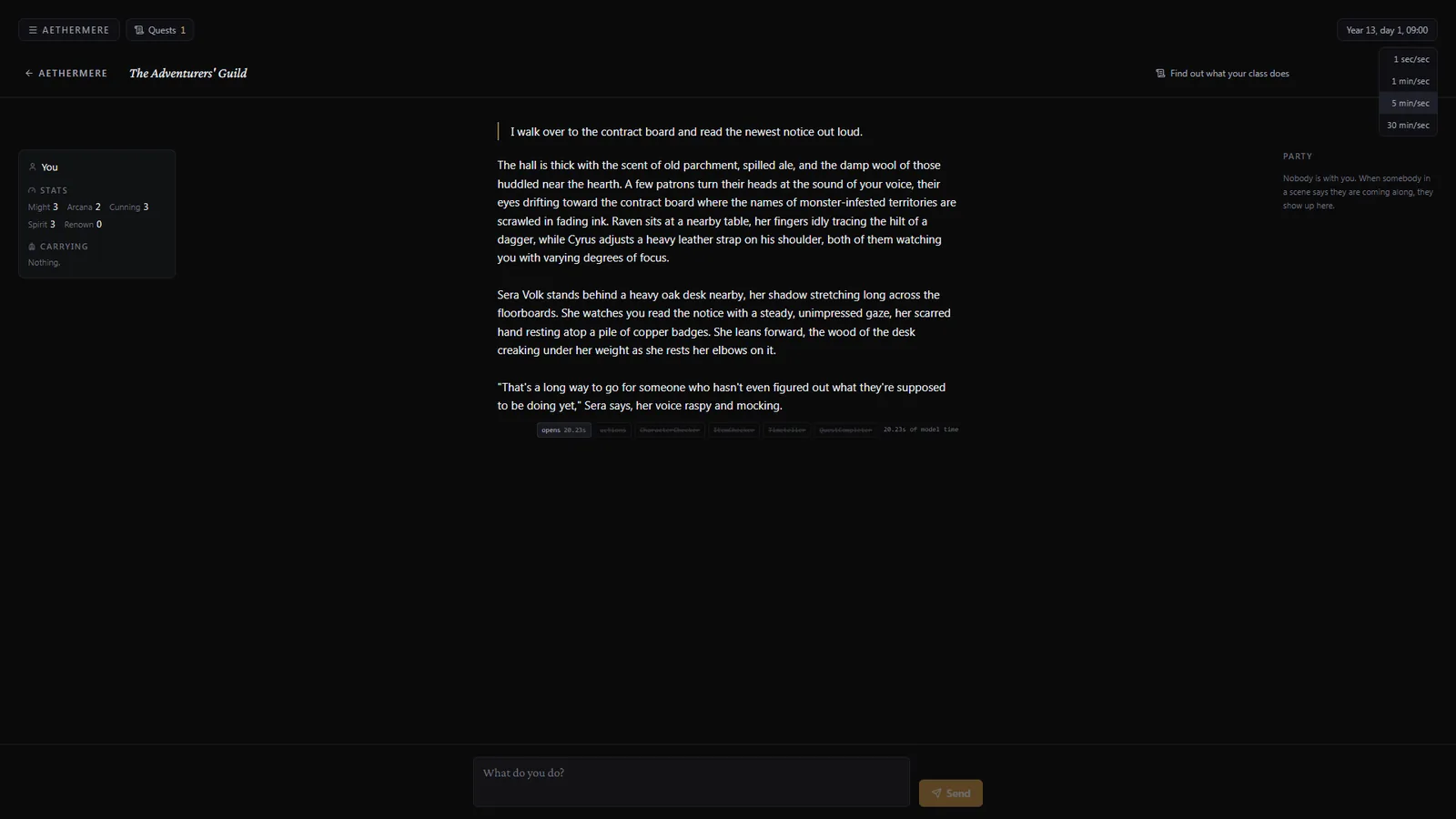
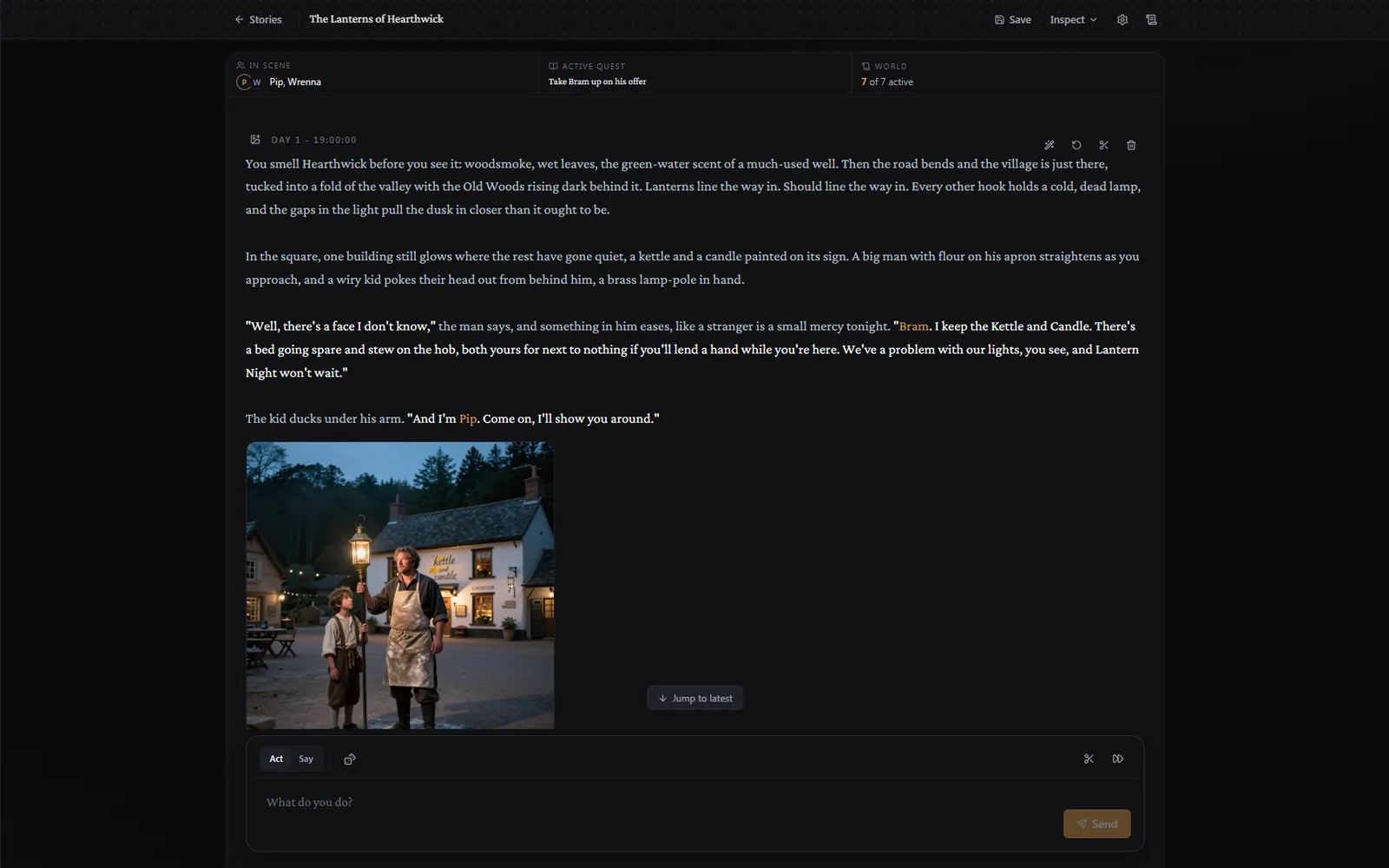
A story with a narrator, based on a scenario, with a cast of characters, a clock and quests.
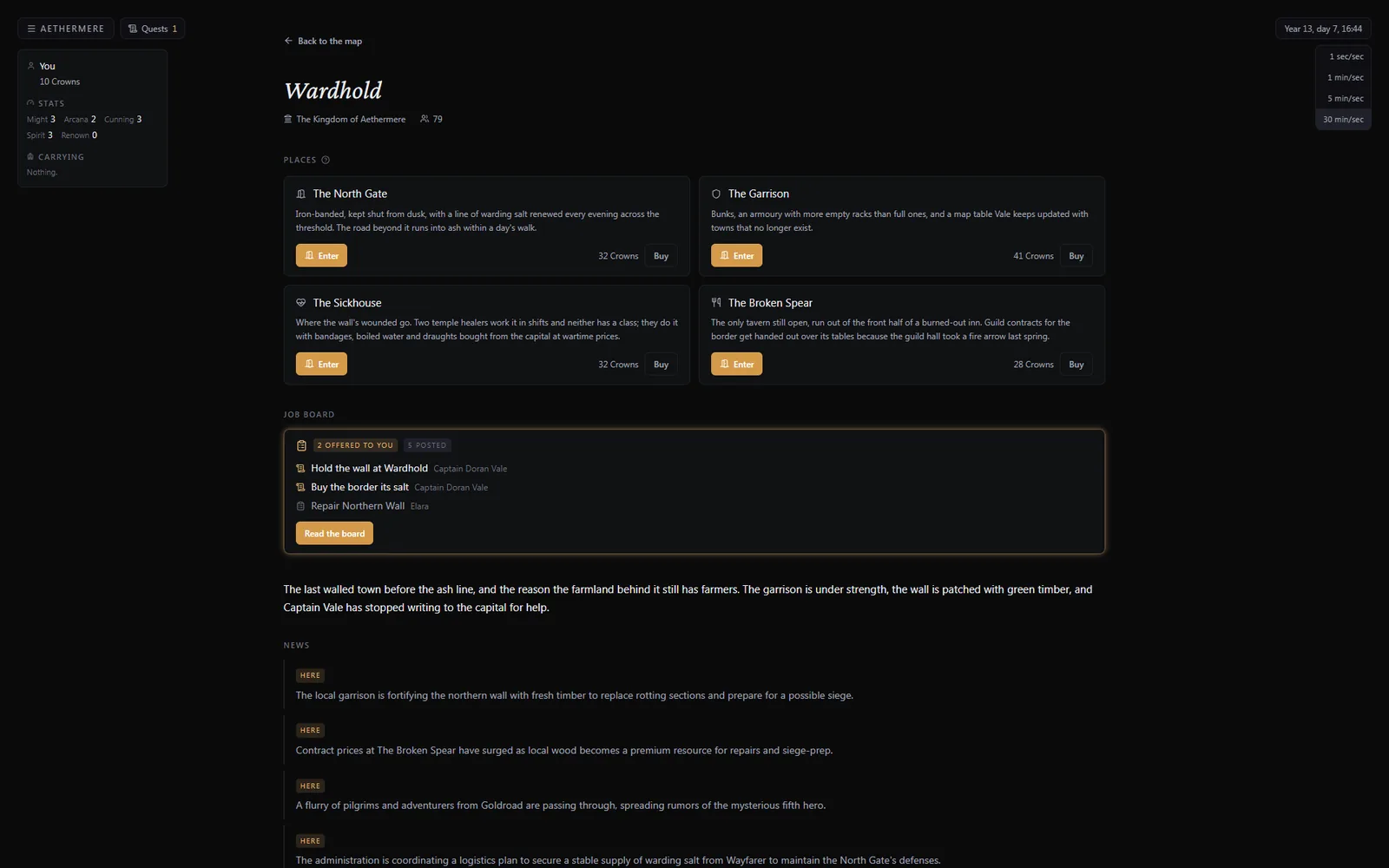
A generated map with towns, roads and factions. You travel between the towns and meet the people in them.
Why it runs on your computer
An online service
Most AI story games are online services with a monthly subscription. The provider pays for every AI call, so they save money by limiting the context length and the number of calls you get. The AI forgets earlier events, and when you reach the limit, you wait for next month. Your saves are on their servers.
Plottery
Plottery is an app on your own computer, and the AI runs there too. A call costs nothing, so the app can make as many calls per turn as it needs: the narrator, the tracking agents, a memory lookup, and a retry if an answer was wrong. No internet is needed after the model is downloaded, and your saves are on your own disk.
Stories
After every turn, helper agents update who is in the room, what everyone carries, how much time has passed, and whether the current quest is done. They run in the background. The narrator reads their notes on the next turn.
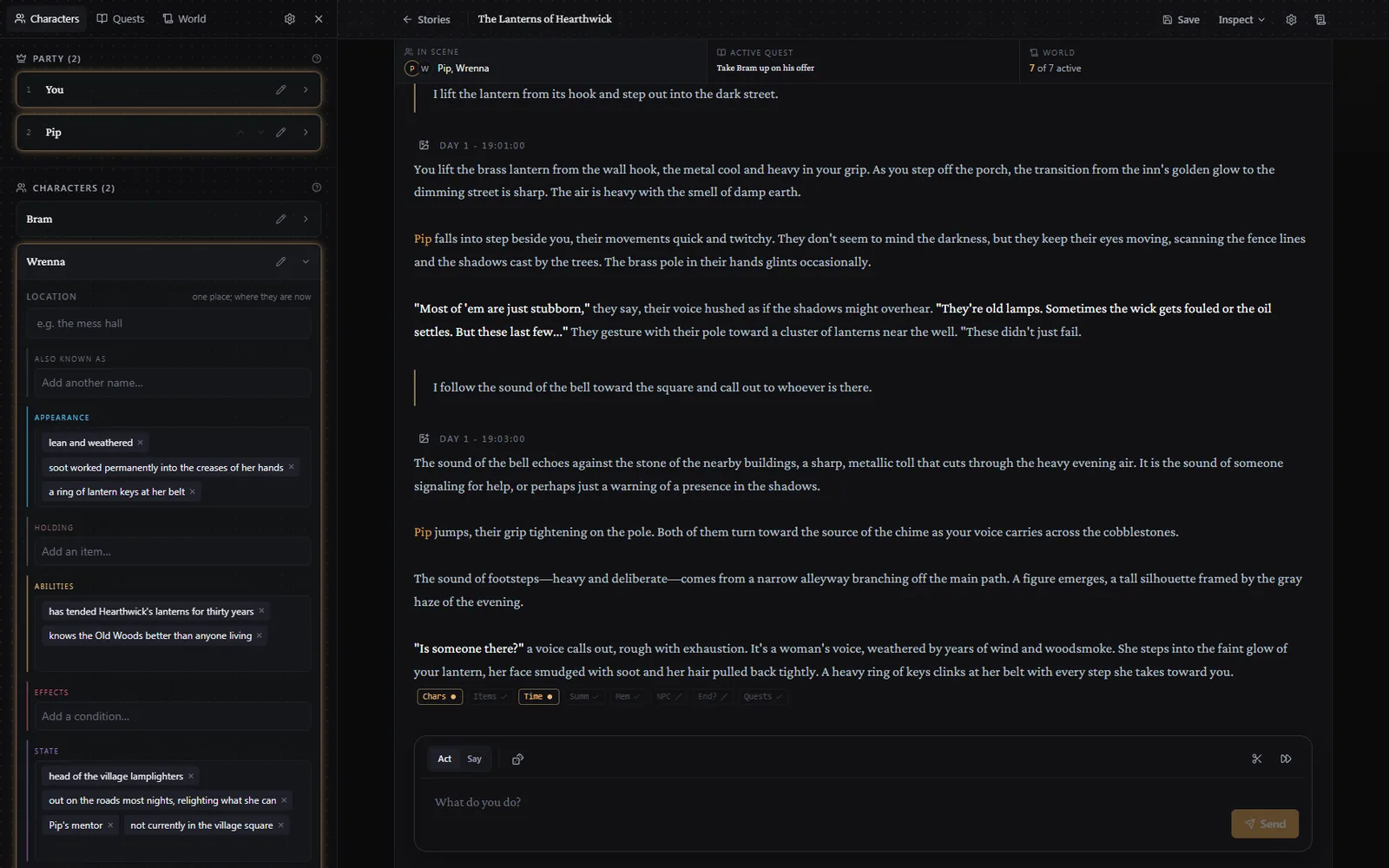
Every character has a sheet: appearance, items, abilities, effects, state and stats. The narrator fills it in as the story goes. You can edit any of it by hand.
The app folds long stories into summaries. When an old event matters again, a memory model finds it and gives it to the narrator, so a name from forty turns ago still means something.
Worlds
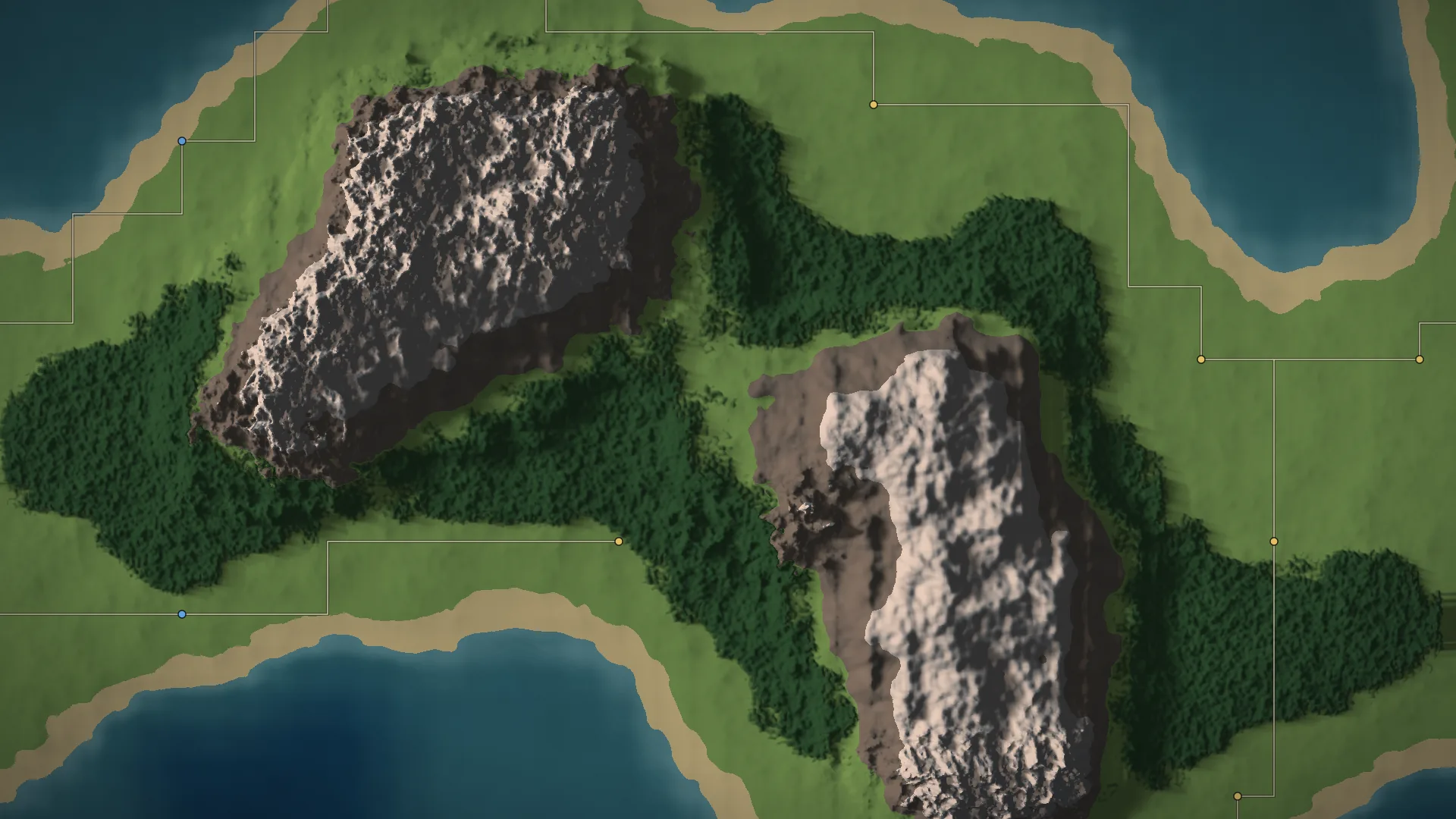
You make a world from a template: a setting, factions, goods, a few named cities and how the story opens. The app generates the map around it. Factions get towns. Towns collect goods from the land around them and trade along the roads.
When you enter a town, the model writes a description of it and four to six places, based on the town's population, trade and recent events. In each place you get a scene with the people who live there.
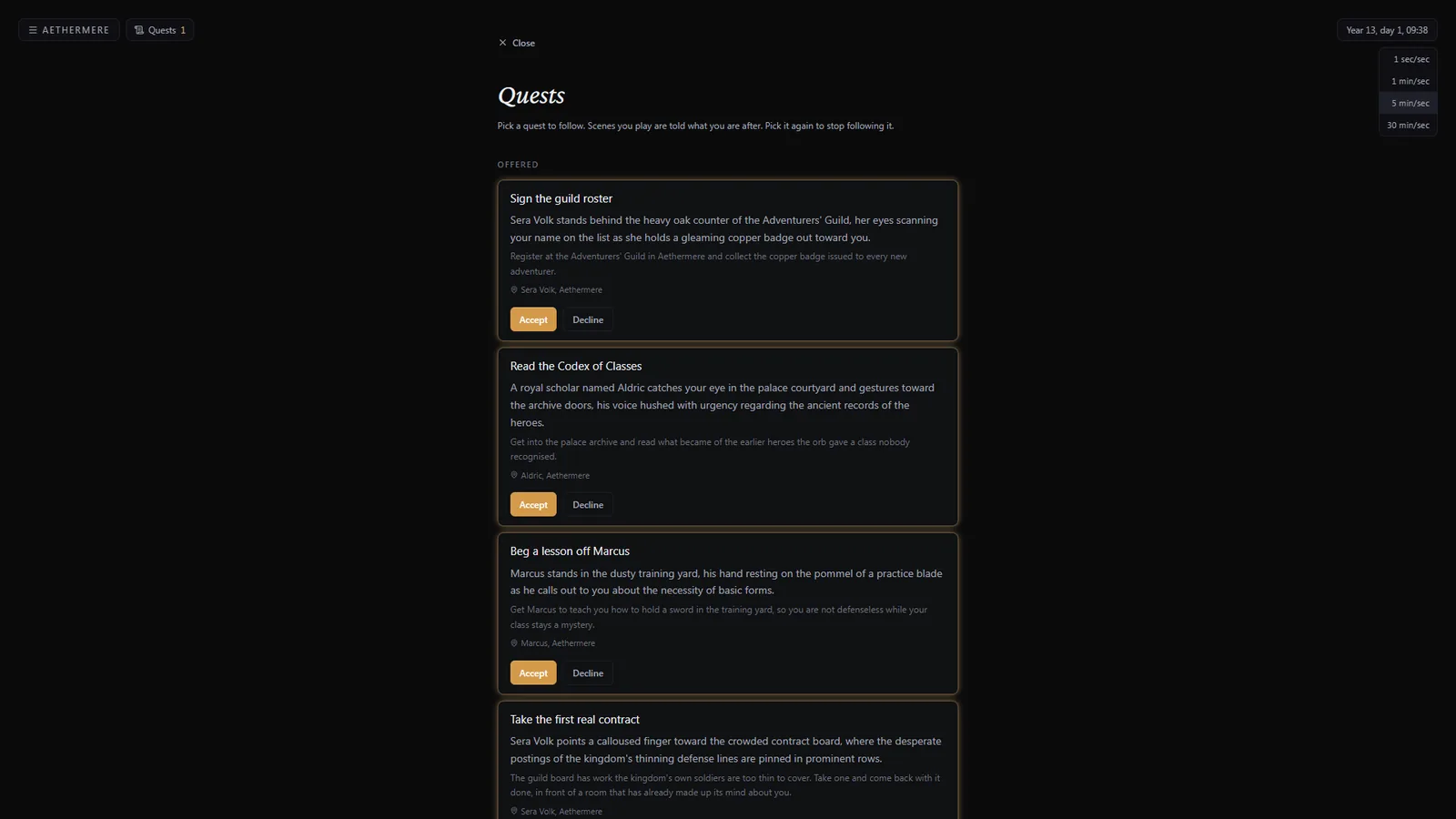
You can take jobs from the board, buy places and hire people to work them, or follow the template's quests.
Voice and pictures
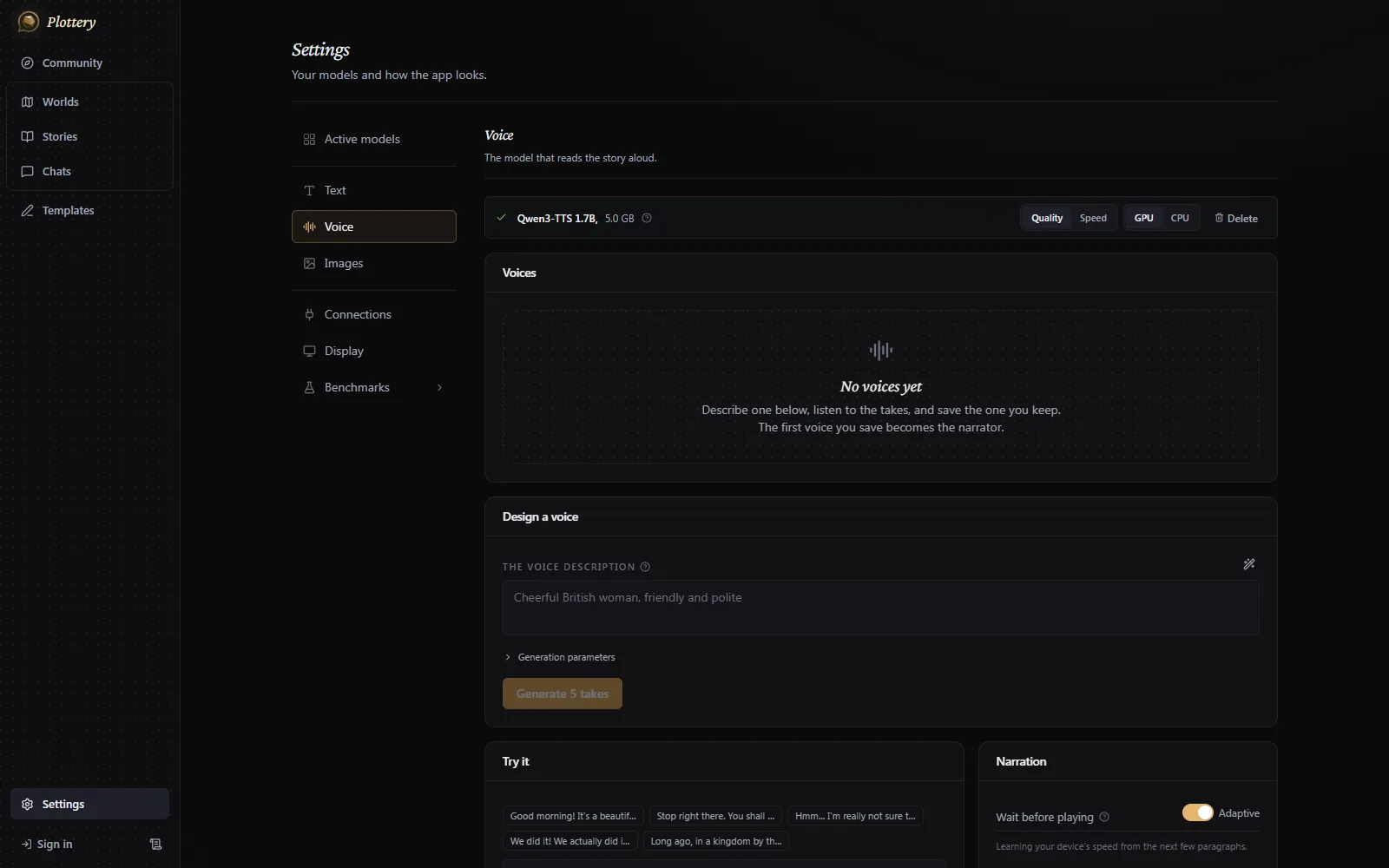
You describe a voice in plain words and the app creates it. The narrator has its own voice, and in a chat each message is read in the voice of the character speaking.
Any turn can be illustrated. The model writes the image prompt from the text, and a local image model draws the picture. There is also a node editor for workflows: LoRAs, a second pass at a higher resolution, a face pass and inpainting.
Scenarios
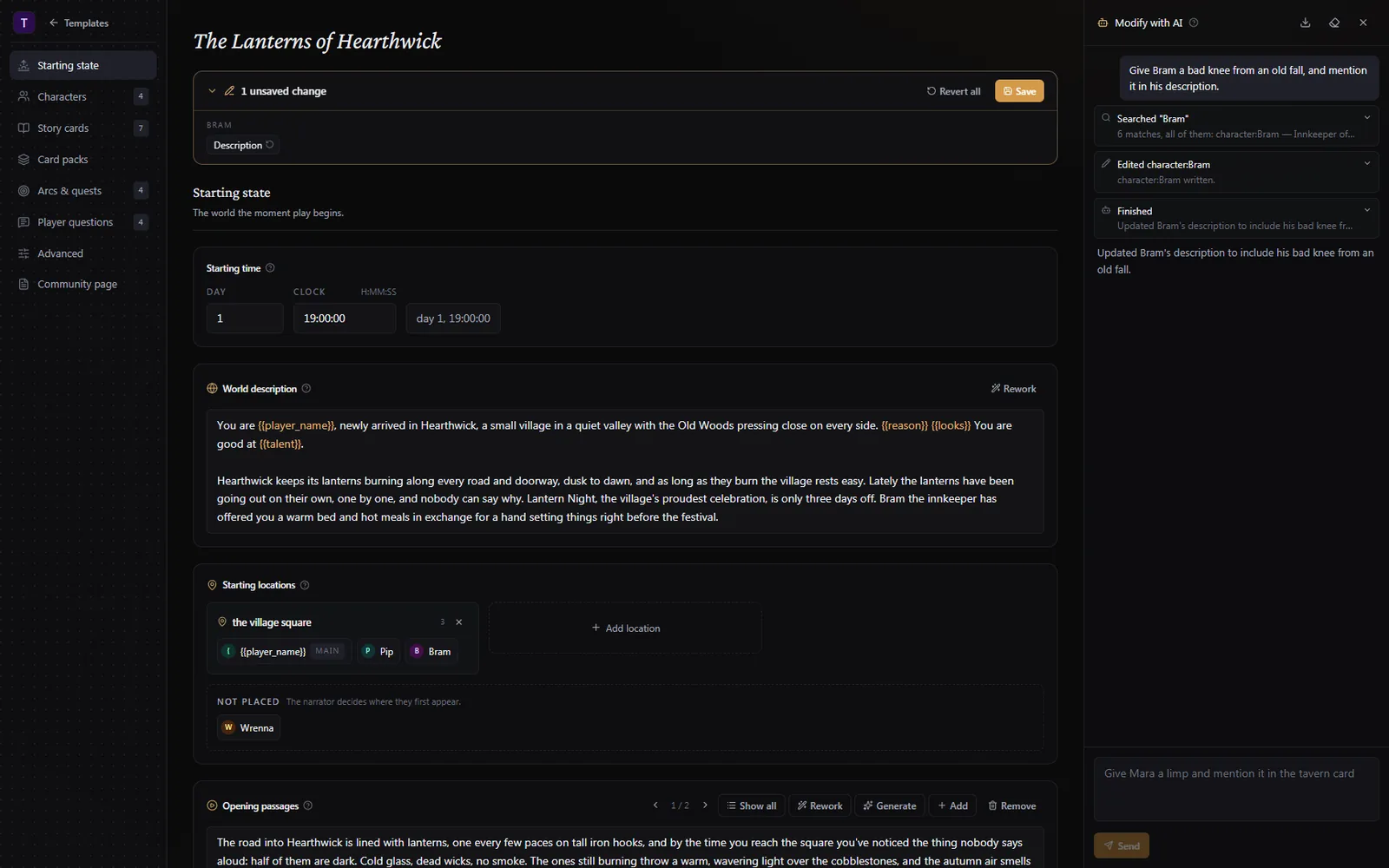
In a scenario you write the world, the characters, the story cards, the opening and the questions the player answers before the start. The model first makes a plan of what it will write, then writes each part separately.
Every editor has a Modify with AI drawer. Ask for one change. An agent finds the right part of the scenario and edits only that. Each step is shown as it happens. You can open any step to see what the model was told and what it answered.
Your device
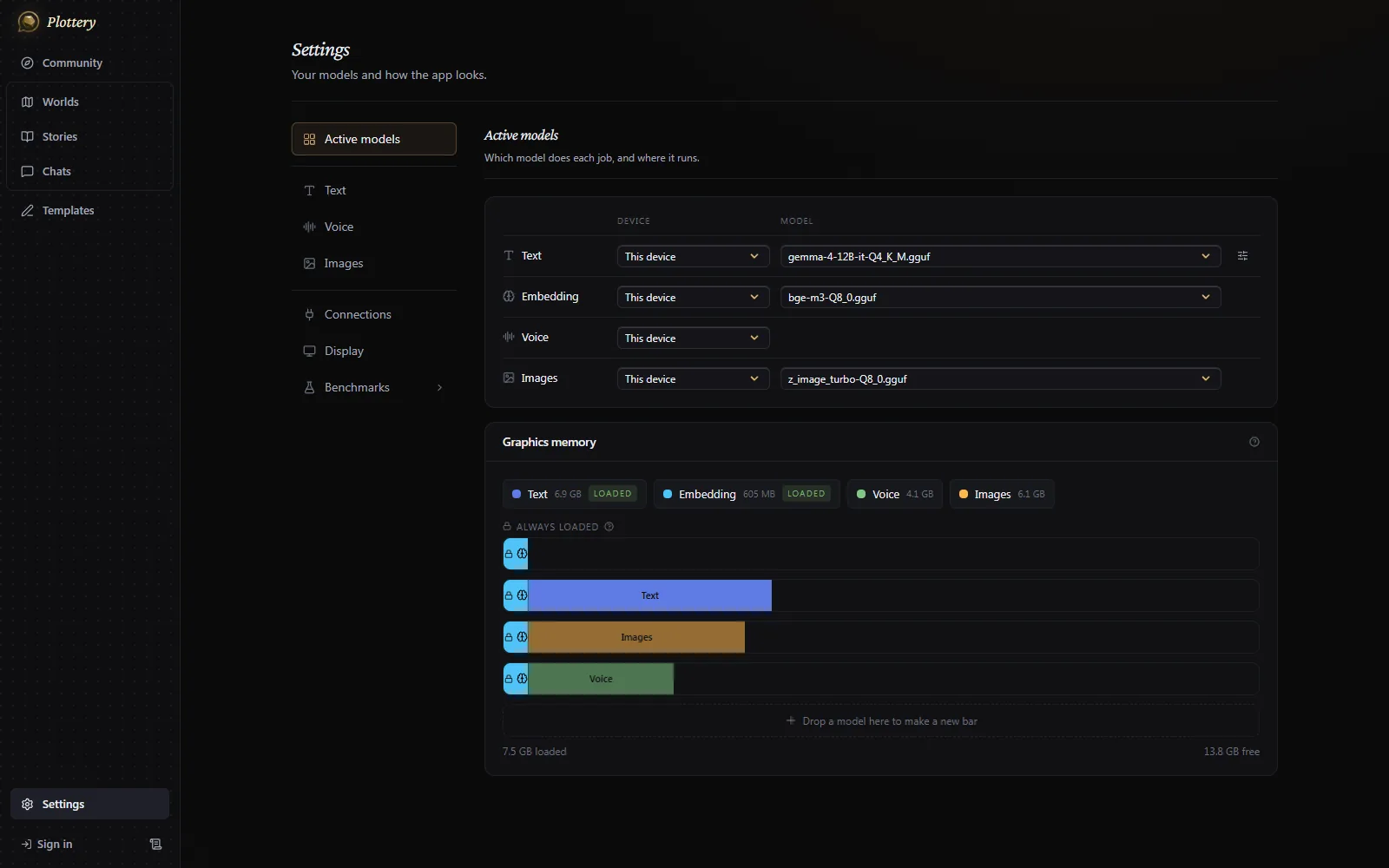
Text, memory, voice and pictures are four separate models. Settings shows which model does what and where it runs. A chart of your graphics memory shows which of them fit at the same time.
On first run, the app suggests a model that fits your device: a bigger one on a desktop, a small one on a phone. About 12 GB of graphics or unified memory is a good minimum. Any GGUF from Hugging Face works. Any OpenAI-compatible server also works: LM Studio, Ollama, OpenAI, OpenRouter.
You can pair two of your own devices. A laptop or a phone can then run its stories on the desktop's graphics card, over pinned TLS. The app keeps stories, chats and scenarios in sync between the two.
Not sure which model to pick? The benchmark built into the app scores local models on the game's own tasks.
Free
Every game mode, with image and voice generation. No account needed.
€3.99 a month
Import scenarios, characters and card packs made by other people, and publish your own. Like and comment. Cancel any time, and what you imported stays yours.