
Starting a chat
A chat is a conversation with one or more characters. It does not use a scenario. The characters speak for themselves, in dialogue only, with no narrator describing the scene around them.
Get a character first
Chats are built from character templates, the same ones scenarios use. There are three ways to get one:
- Import one from the
Communitypage, covered under The community catalog. - Write one on the
Templatespage, covered under Creating content. - Generate one from a prompt, which drafts the description, appearance, and manner in one pass.
A character template can be created either as a player preset, meant to be the protagonist you play in a story, or as an NPC preset, meant to be a character you talk to in a story or chat.
Two ways to start
The Chat button on a character card on the Templates page opens a one-on-one thread immediately, no dialog, no setup.
For group chats, use New chat on the Chats page:
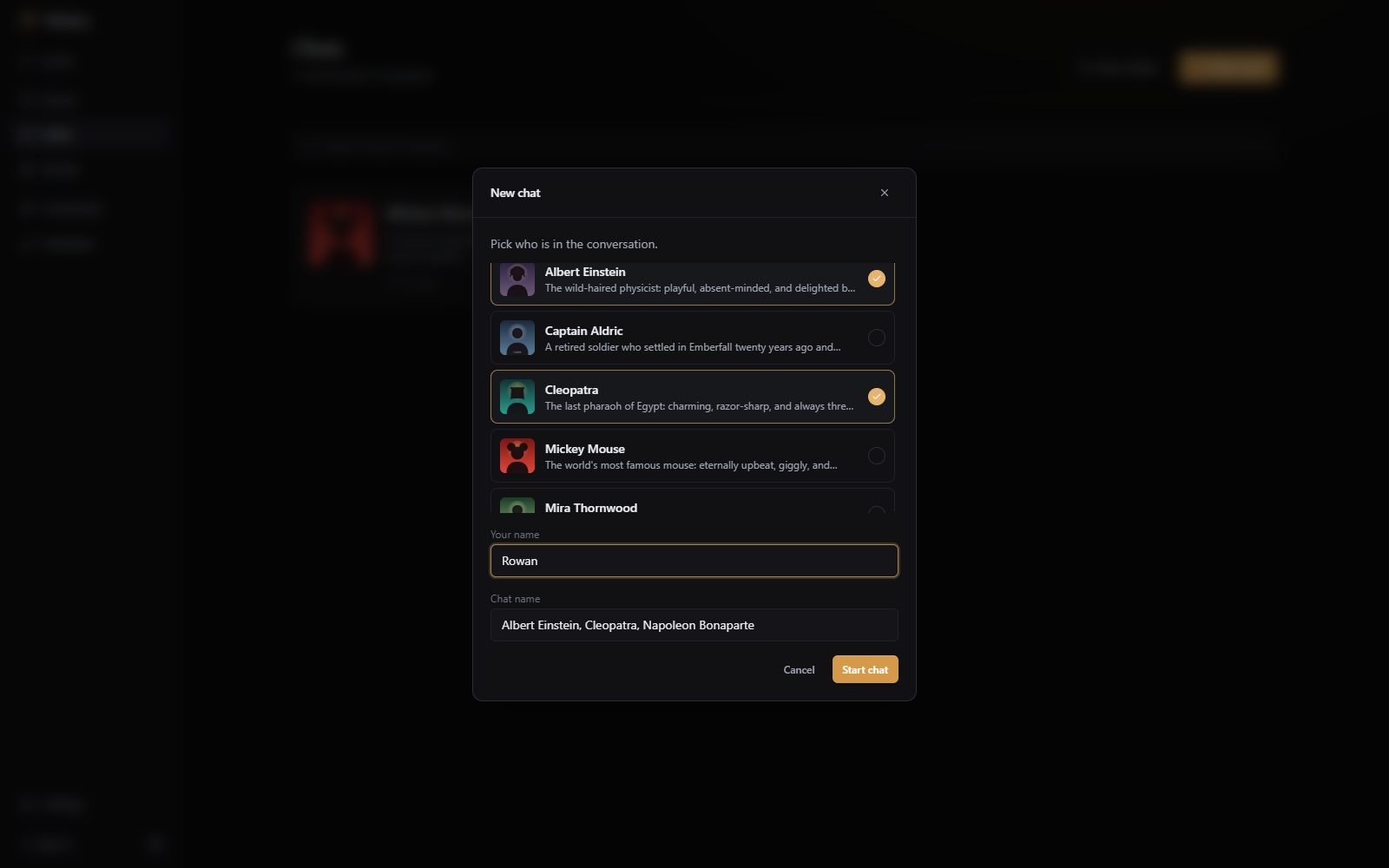
Chats page.
The dialog asks for three things:
- Who's in the chat. Pick one character for a one-on-one, or several for a group. The AI model picks who speaks after your message.
- Your name. Optional, and it's the only thing the characters know about you.
- A name for the thread, defaulting to the participants' names joined together.
This is a chat, not a story. Characters have no state, inventory, ability list etc. Nothing that happens is tracked as world state. If you want a more in depth scenario, use story mode.
The Chats library
The Chats page holds every thread you've started, and works like the Stories page: folders, drag to reorder, and a search box. The one-line summary on each card is written by the AI. Hover a card to rename it, regenerate the summary, export it to JSON, or delete it.
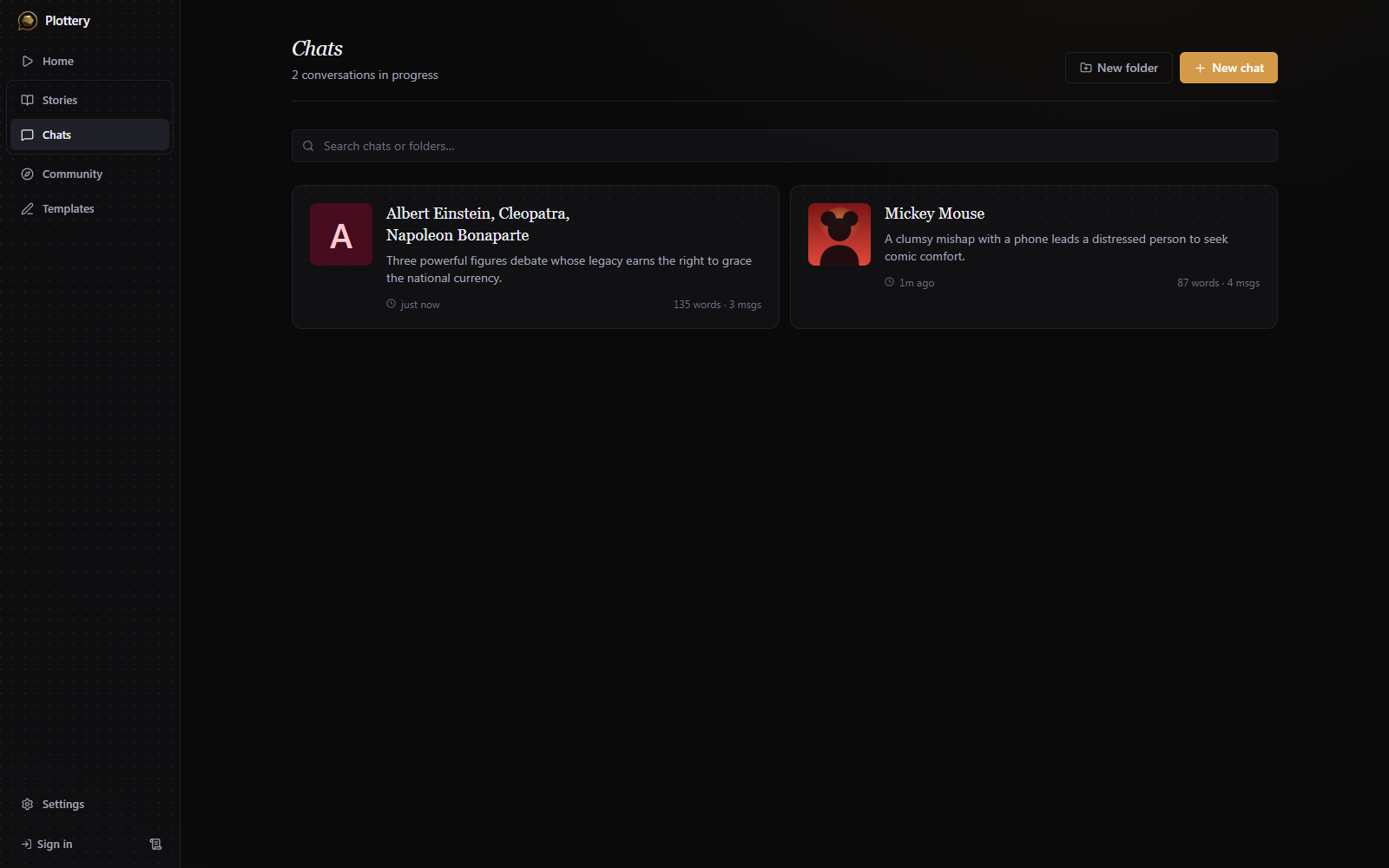
A one-on-one chat borrows the character's portrait as its cover, if they have one.
To publish a chat to the community, you publish the characters individually, or in a story card pack.