Long, coherent stories
A model can only read so much text at once. Plottery keeps a long story readable to the narrator with summaries, scenes, a searchable memory, and the background processes that keep the world state up to date.
Summaries and scenes
As a story grows, old stretches of turns are folded into summaries to keep the context small. Folding changes what the narrator is sent, but it does not change what you can read. The messages stay in the chat history, marked by a line down the left side, and clicking that line shows the summary the AI gets. Scene dividers mark where one scene ends and the next begins. They include a summary of the past scene that can be provided to the storyteller as context.
Memories
Longer-term memory is stored in pools, one per entity: a narrator pool of scene summaries, and a private pool of thoughts for each NPC. When something similar comes up later, relevant entries are included in the prompt. You can browse the memories, delete or clear entries, and tune retrieval with sliders in the "memory pools" menu under the "Inspect" dropdown. Test search shows which memories would be used right now. Memory retrieval uses an embedding model (set one up in Model library).
Background LLM tasks
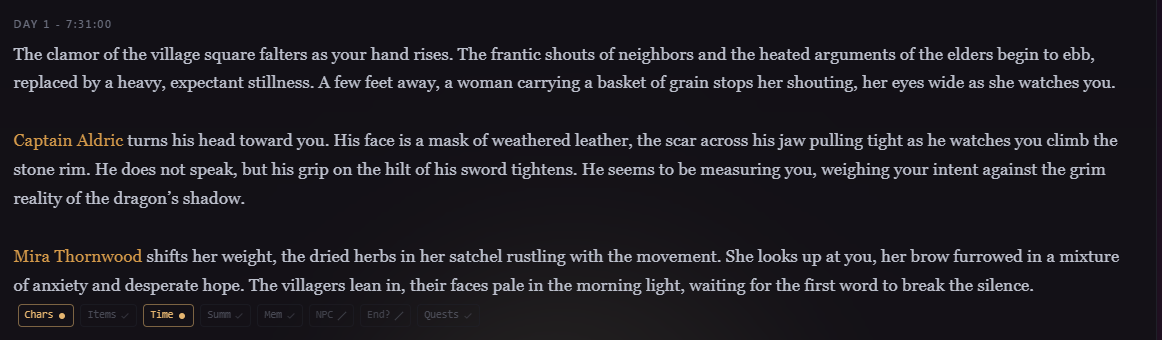
After each beat, multiple tasks are run. They update the world and appear as a row of indicators under the message. The indicators turn grey if nothing changed. When the task changed something in the state, you can hover over it to see exactly what changed (e.g. "leaves the scene", "story clock was 14:05, now 14:40"). If the LLM made a mistake you can click the indicator to rerun it. If a beat's tracking doesn't finish, the indicator turns red, and you can run it again. These LLM task indicators can be disabled in the display settings.
The context meter
The top bar's Inspect menu shows how full the narrator's context window is, with a breakdown by bucket (characters, cards, history, etc.) and per-item token estimates. When a story would overflow, the oldest turns and summaries are left out at send time so the request still fits. If the LLM doesn't create a summary before that, the summary task should be modified in the story settings.
The history graph
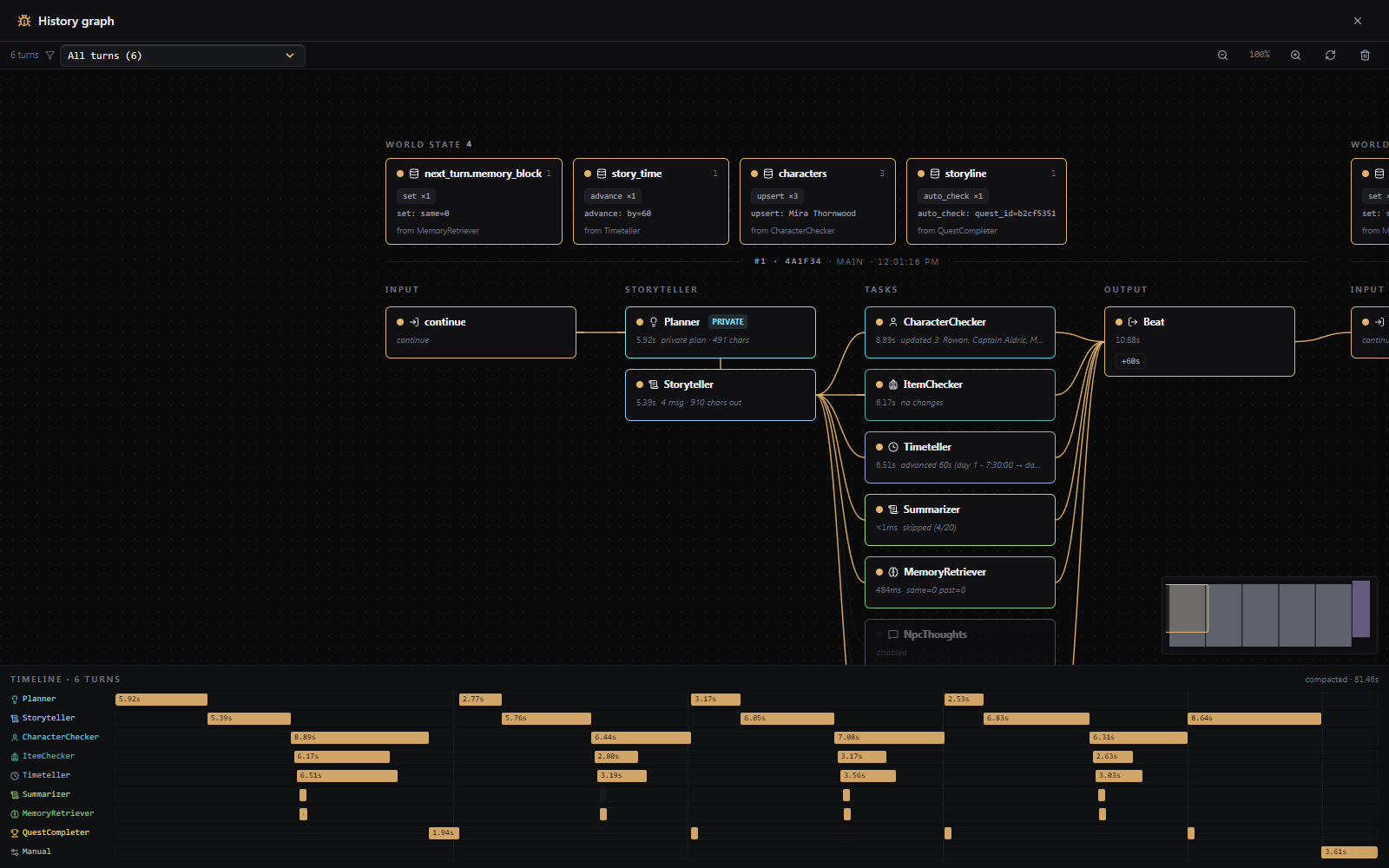
Inspect > History graph lays the whole machinery out turn by turn: your input, the narrator's plan and reply, every agent's run, and the world-state edits that came out of it. A timeline along the bottom shows how long each task took. It exists for better clarity when something unexpected happens.