
Starting a story
Every story starts from a scenario: a world with characters, lore, and a first scene.
Three ways to get a scenario
- Browse what other players have published on the
Communitypage and add a copy to your templates. - Generate a whole scenario from a short prompt, like "A salvage-diver mystery in a flooded canal city."
- Write your own from a blank template. You can also start with a generated one, then edit it to your liking.
More info: Creating content and The community catalog.
The Stories library
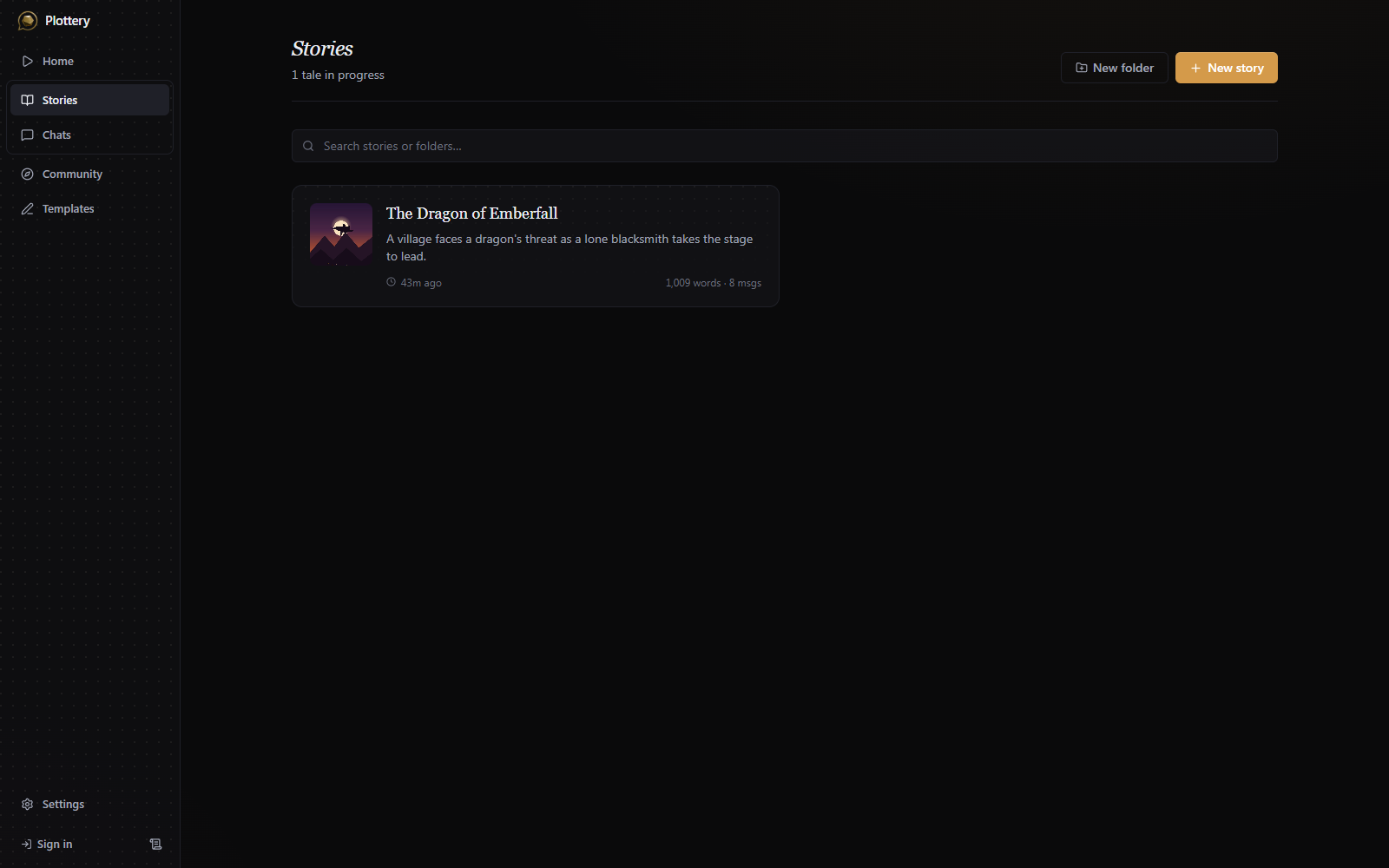
The Stories page holds every playthrough you've started. New story opens a picker of your templates; choosing one creates a fresh, editable story. Stories can be grouped into folders, reordered by dragging, and searched. Hover over a card to rename it, regenerate that summary, export it to a JSON file, duplicate it, or delete it.
Setup questions before the first scene
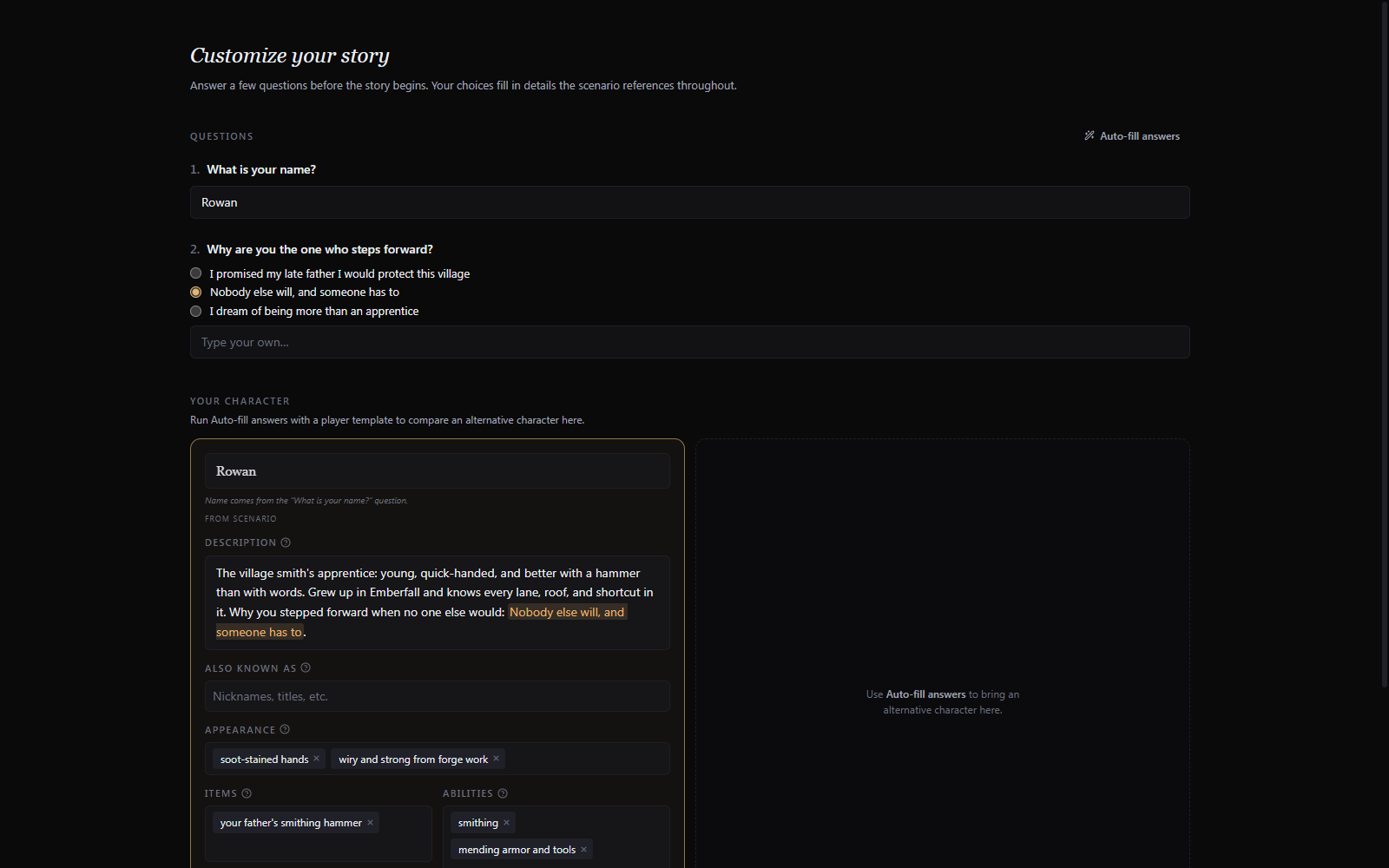
A scenario can ship with setup questions ("What's your name?", "How did you end up here?"). When it does, a Customize your story form appears before play. You answer the questions, and your answers fill in details throughout the scenario. A Your character card lets you edit the protagonist's name, description, appearance, abilities, and starting items. You can play as an existing character by using the Auto-fill answers feature. It lets the AI fill the free-text questions based on the character template you provide. You can then choose between customizing the character template, and using the existing one. The character template must be labelled as a player preset to be used in this way.
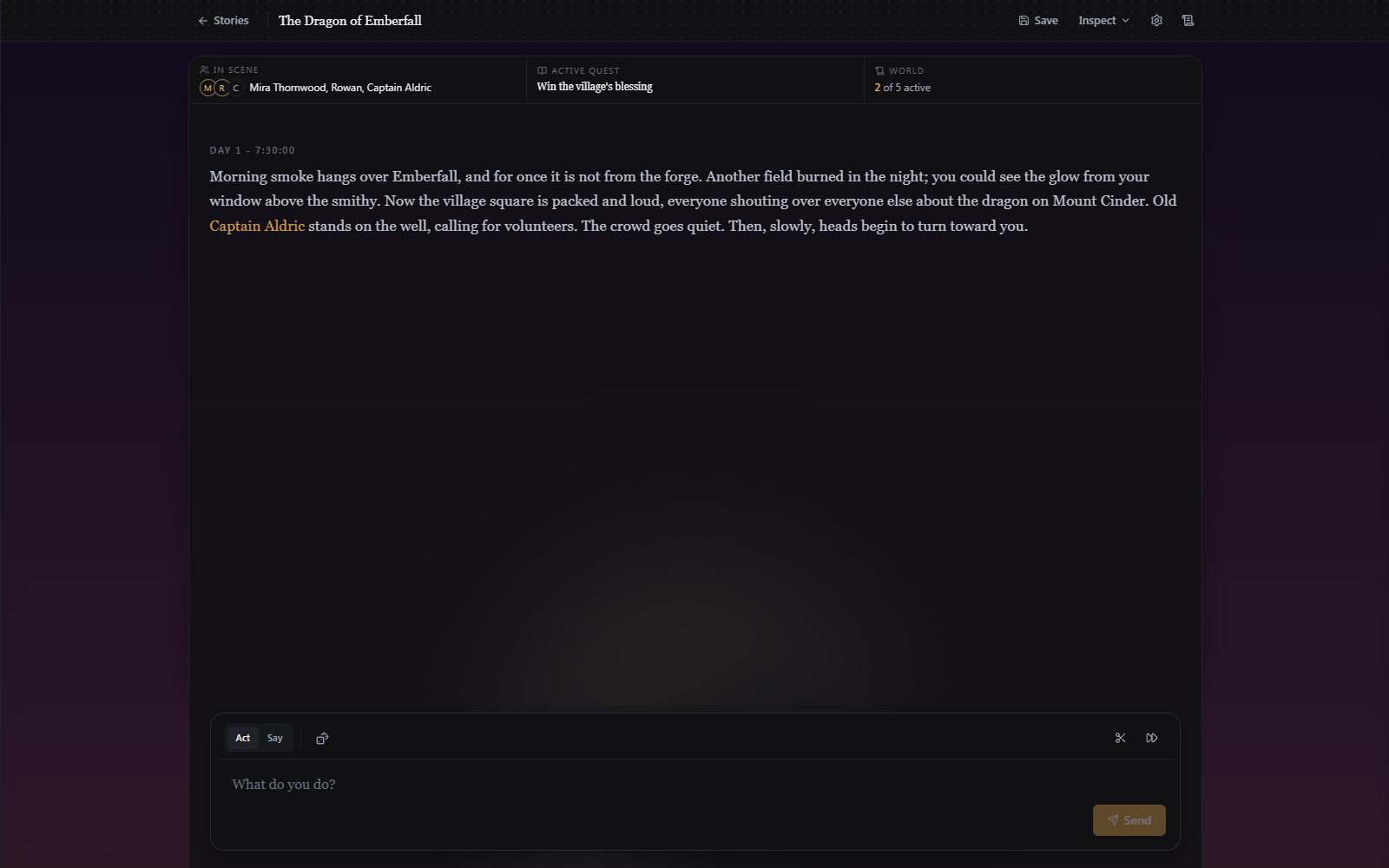
Once you press Start story, the opening scene is on screen and you can start playing:
Bringing a story over from AI Dungeon
Templates > Import reads AI Dungeon exports as well as Plottery's own .json and .qbp files. Drop a metadata.json to get a scenario or a card pack, or the whole export .zip (with its actions-NNN.json files) to get a playthrough with its chat history intact. AI Dungeon's script-generated cards are filtered out on the way in. Because those exports name the protagonist "You", a one-time Main character name prompt asks who they are, so the narrator and the tracking agents can recognize mentions of them. AI Dungeon scenarios are not as richly structured as Plottery's, so some information will be left empty. You can add them later by editing the scenario.