
Benchmark and evals
Plottery runs many small single-purpose prompts in addition to the storyteller (ending a scene, tracking time, keeping a character consistent, summarizing). The built-in benchmark scores how well each local model handles each of those tasks, which helps you pick a chat model.
How a run works
Open it from Settings > Benchmarks. A run has two passes: a generation pass where every model you picked answers every case, then a judge pass where one judge model grades those answers. Using the same judge on every answer keeps the scores comparable across models.
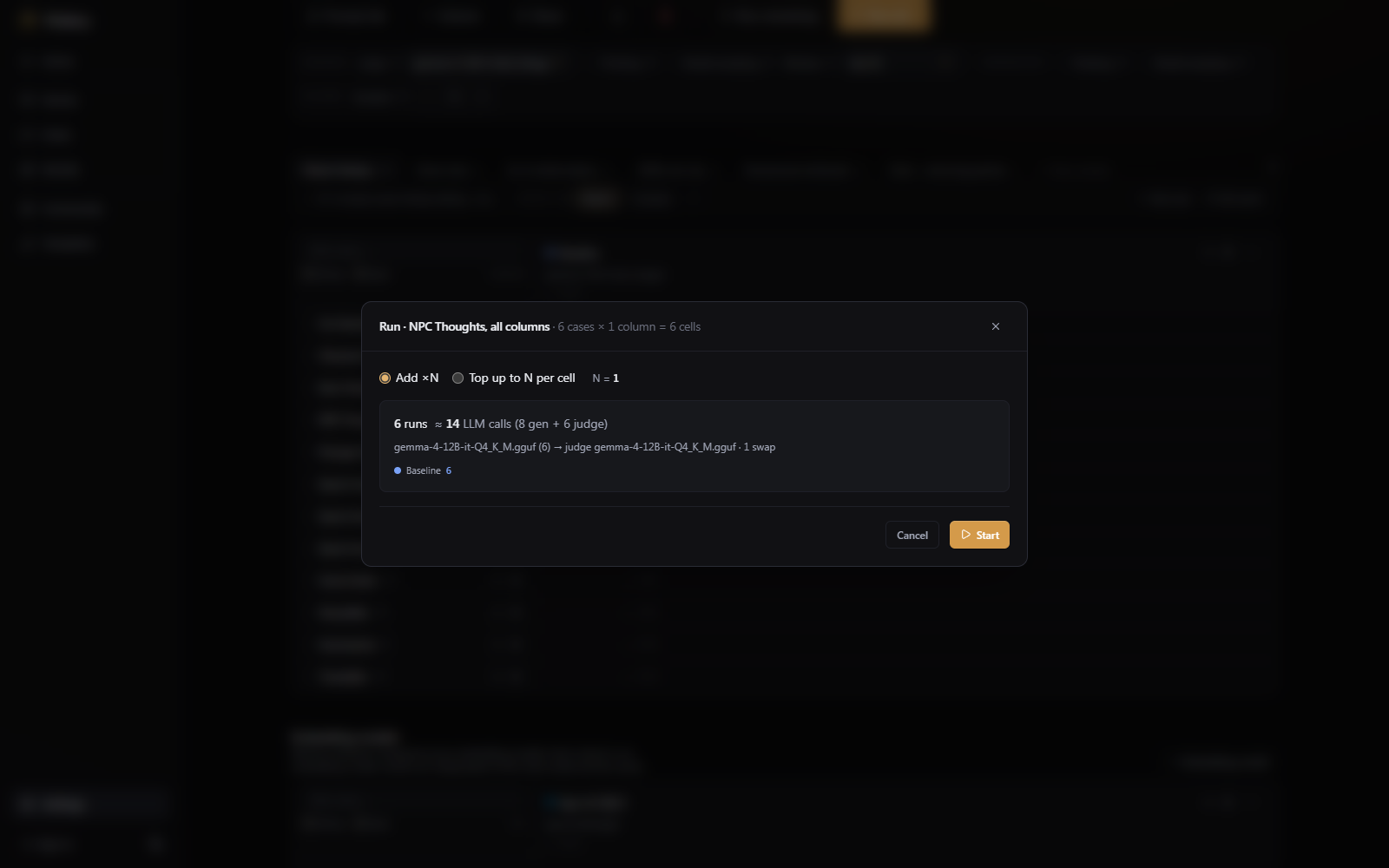
You can run everything, one task, or a single cell, and the run happens in the background while you use the app. Before anything starts, a dialog shows how many model calls the run will make:
Reading the results
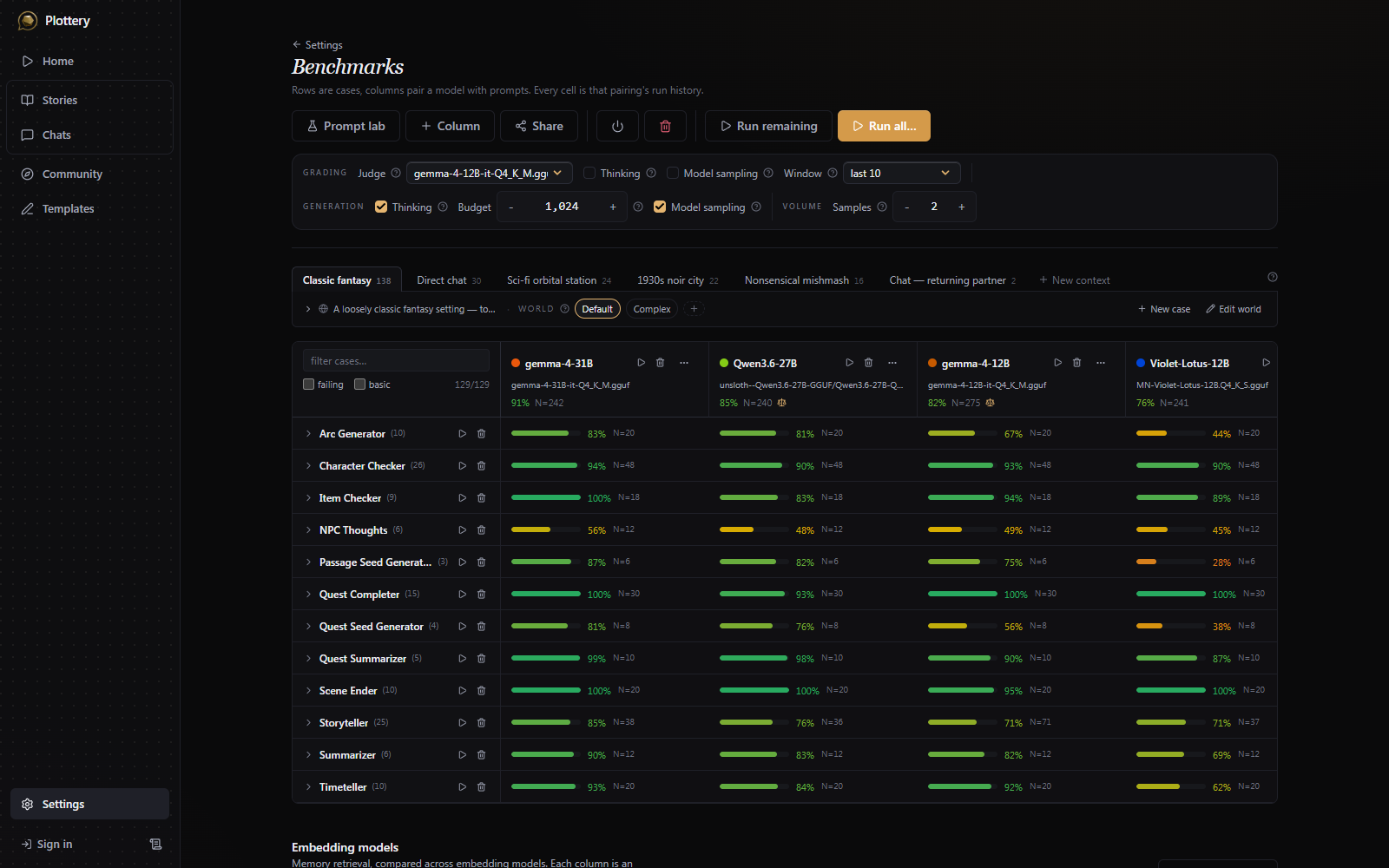
Results are shown as a grid. Rows are individual test cases, grouped under their task. Columns are the things being compared: usually models, but a column can also be the same model with a different candidate prompt. You can export a run as a heatmap, summary, table, grouped-bar, radar, or scatter chart.
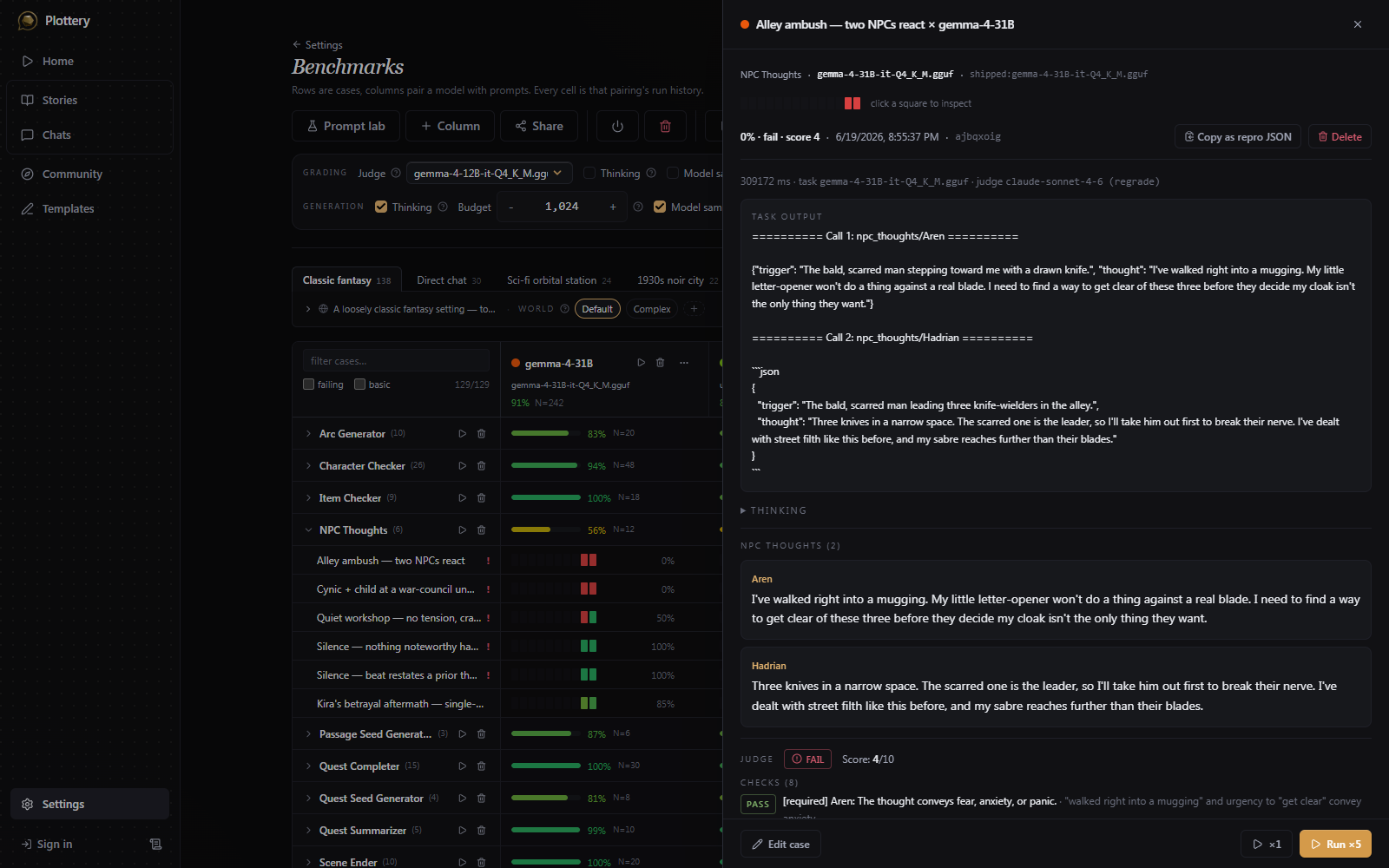
Opening a cell shows that case's full record: the model's raw output, the parsed result the game would use, and the judge's verdict with its score.
Editing cases and prompts
The grid is also an eval editor. You can rename a case, change the messages it feeds the model, and rewrite its grading criterion and expected result. The world state a case runs against is shared by every case in its test context, so it has its own editor and is edited per context, not per case.
Prompt edits work the same way and stay inside the benchmark: writing a new version of a task prompt creates a candidate you can run as its own column and compare against the shipped one. Neither case edits nor candidate prompts change how the game plays. To use a wording you like in an actual story, copy it into a scenario's Advanced section as a prompt override (see Creating content). The override applies to stories made from that scenario.
Why the score matches the game
The benchmark uses the exact prompts the game runs, so a score describes the same behavior you get in play. More info and an example run can be seen in the benchmark page.