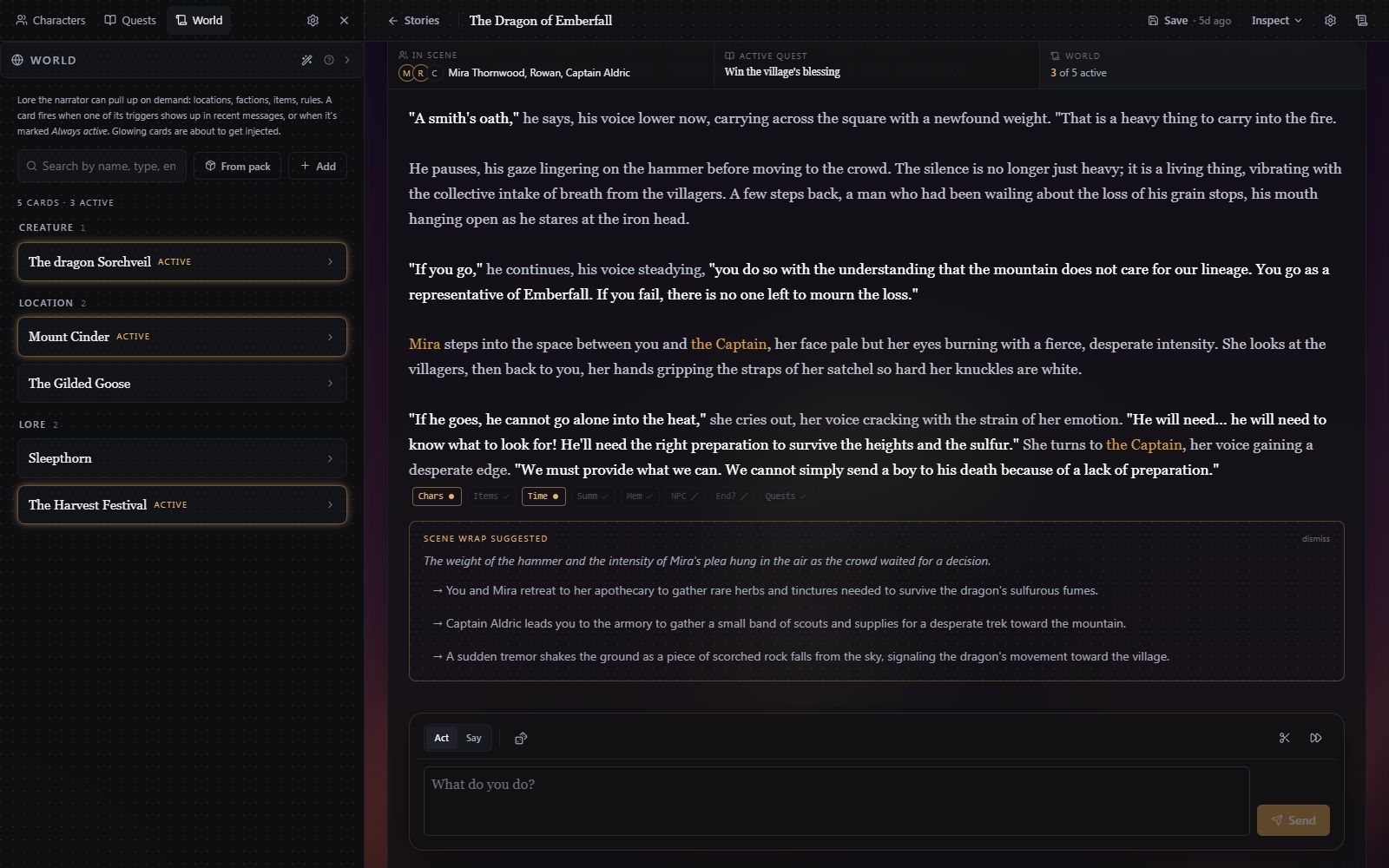
The world state
Above the chat is a row of three tiles showing a summary of the state: In scene, Quests (which says Active quest once one is running), and World. Clicking one opens the Story drawer menu. Everything in the panel is editable while you play. Character cards and story cards autosave as you type. Editing an arc or a side quest has an explicit Save.
Characters
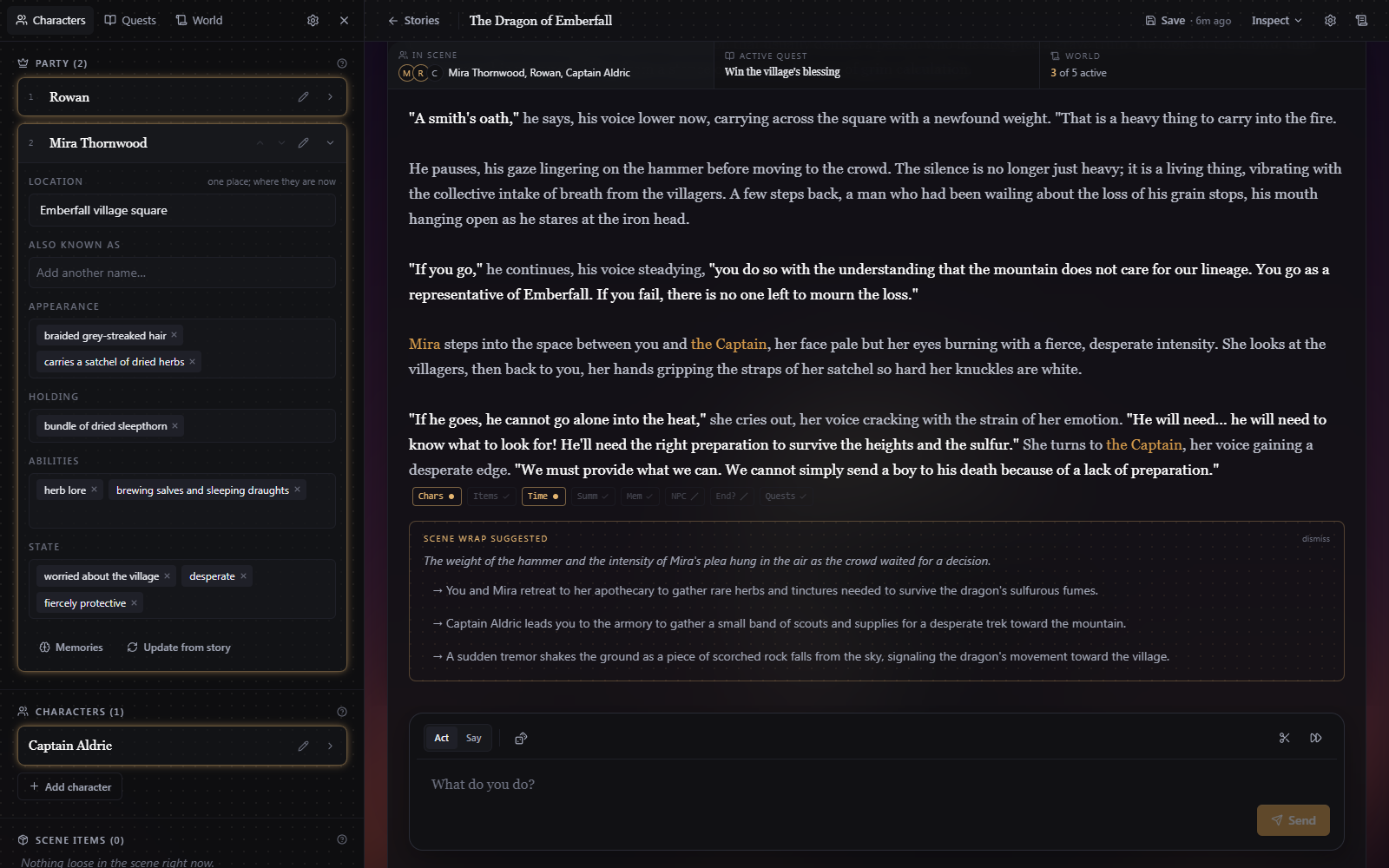
The "Characters" tab tracks everyone in the story. The glow around any character tells you their character card is included in the LLM context. The characters in your party are always included. Expanding a character shows the fields the game updates as you play: location, aliases, appearance, what they're holding, abilities, and state.
The edit button opens the full sheet with party and scene toggles, description, and the character's voice. Each NPC also keeps private Memories. Memories are only created for the characters in your party. This is done so past requests can be cached for the LLM, making gameplay faster.
Memories feed the storyteller and keep a long story coherent. They are fully editable in case the LLM makes a mistake.
Quests and arcs
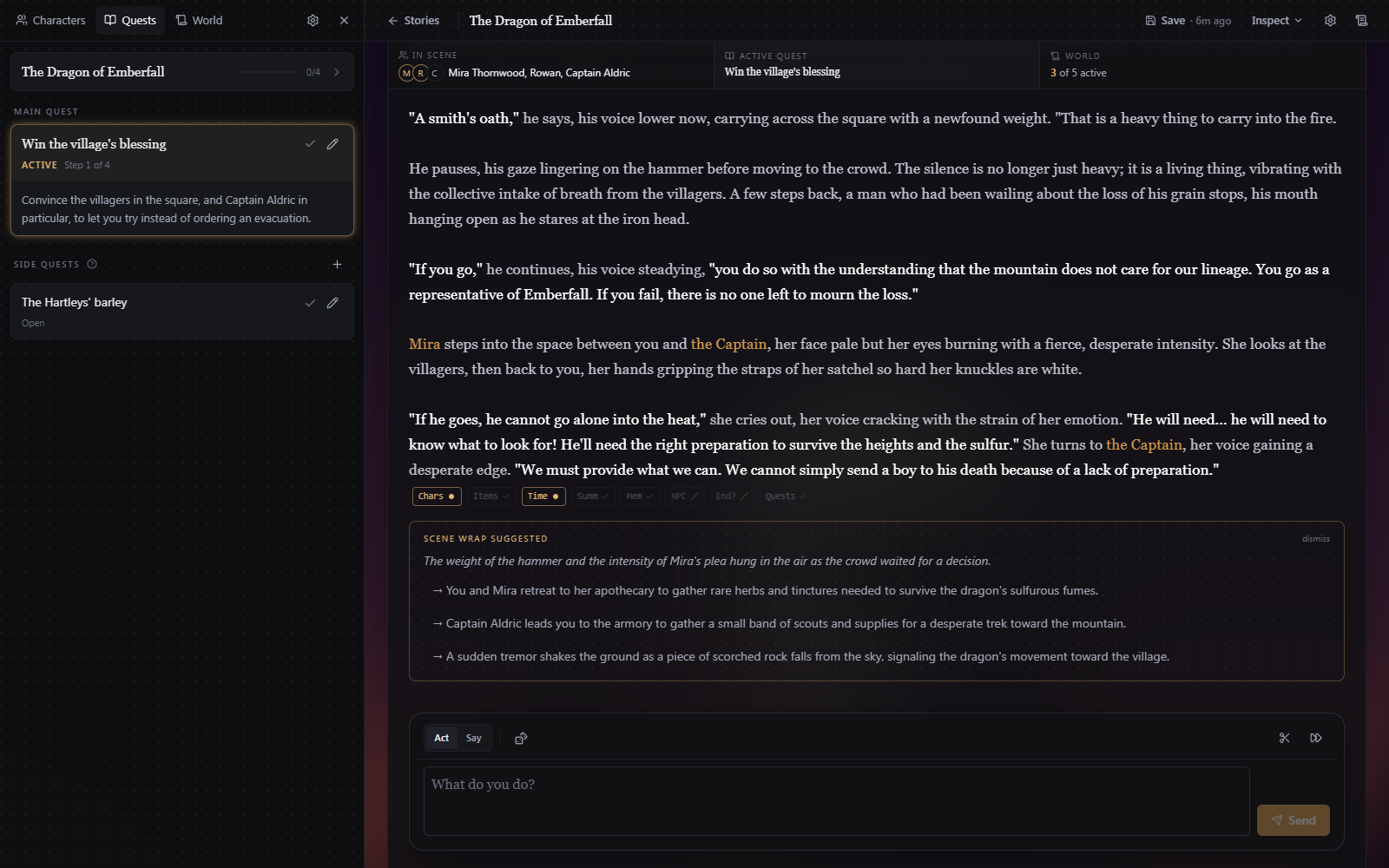
A story is organized into arcs. They are self-contained chapters, each with an ordered list of main quests. The "Quests" tab shows the active arc, the current main quest ("Step 2 of 4"), and side quests. When every main quest is done, Wrap up this arc asks the AI to judge whether the arc's goal has been completed in the current scene. After completing every quest in an arc you choose what comes next, either a pre-built arc from the scenario or a freshly generated one. Side quests are optional threads that never block an arc. You can activate a side quest to steer the story off the main storyline. Finished quests and past arcs are archived with short summaries.
World and lore
The "World" tab holds the world description and story cards:
- World description describes the setting and tone, sent to the AI on every reply. The rework feature can be used to easily modify it even during gameplay.
- Story cards are lore entries the narrator can pull in on demand, such as locations, factions, items, rules, etc. Each card has a type, an entry, and triggers. Story card triggers are keywords that inject the card when they show up in recent messages. A card can also be marked always active. Just like character cards, story cards glow when they're going to be added to the LLM prompt as context.